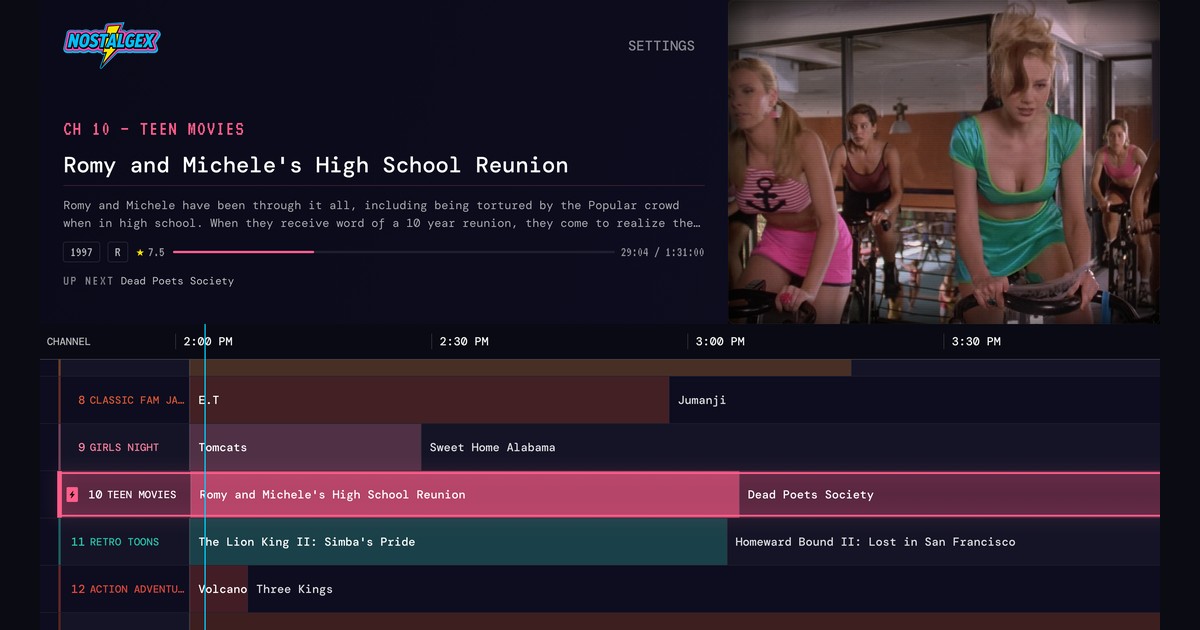
Jellyfin's TV guide only fills up when you add a tuner or an IPTV playlist, so it won't show your own movies by itself. To get a guide for your library, install a plugin like Live Channels, run a channel server like Tunarr that feeds Jellyfin a guide, or use an app that builds the guide itself. On Apple TV, Nostalgex does that for free and signs in with Quick Connect.
There's a post on r/jellyfin that I think about a lot. Someone asked about setting up Live TV because they assumed it would take their files and turn them into "a sort of 24/7 live cable TV thing" with "a TV guide like cable had." The replies were basically: nope, that's for antennas and IPTV.
That was my assumption too, years ago. It's a reasonable one. The feature is called Live TV, it has a guide, and you've got a server full of stuff. What that poster wanted is what most people mean by nostalgia TV: flip on the TV, see a guide, land in the middle of something you forgot you owned. So let me lay out what Jellyfin actually does here and the ways to get there. I built Nostalgex, which is one of those ways, so I'll be upfront about where it fits.
Does Jellyfin have a TV guide for my own movies and shows?
Not by itself. Jellyfin's guide is real and it's good, but it only shows channels that come from a tuner. Your movie and TV libraries don't feed into it on their own. Out of the box, there's nothing in Jellyfin that schedules your library into channels.
Why is my Jellyfin TV guide empty?
Because Jellyfin's guide is built for live TV from a tuner, not for your library. The Jellyfin docs describe it as a way to watch and record live television using supported hardware. You add a tuner, like an HDHomeRun with an antenna or an M3U playlist from an IPTV service, and then you add a guide data source so the channels have listings. That's why so many of the autocomplete searches for "jellyfin tv guide" are about guide data providers and guides that won't update. Those are tuner problems.
If you've got an antenna and want broadcast TV in Jellyfin, the setup guide is the place to start. If you want your own movies in a guide, read on.
How do I get pseudo TV channels in Jellyfin?
There are three routes, and they're pretty different.
Option 1: a Jellyfin TV guide plugin (Live Channels)
Plugins like Live Channels live inside your server and register channels with Jellyfin's own Live TV, so they show up in the regular guide in every Jellyfin client. You define each channel yourself from libraries, collections or genres. It's neat if you like that kind of control, and it's work if you don't.
Option 2: a channel server like Tunarr or JellyStream
Tools like Tunarr, jellyfin virtual tv and JellyStream run as a separate service. They build the schedule and hand Jellyfin an M3U playlist and an XMLTV guide, which you add under Live TV in the dashboard. Then you refresh channels, refresh the guide, and hope they agree. This is the most flexible route and also the one people complain about most when streams stutter. Plenty of people swear by it though. If you're choosing between Tunarr and ErsatzTV, I compared them in ErsatzTV and Tunarr alternatives for Apple TV.
Option 3: an app that builds the guide for you
Instead of changing your server, the app on your TV reads your library, makes the schedule, and asks Jellyfin for the file when it's time to play. Nothing to install on the server, nothing to configure in the dashboard. That's what Nostalgex does.
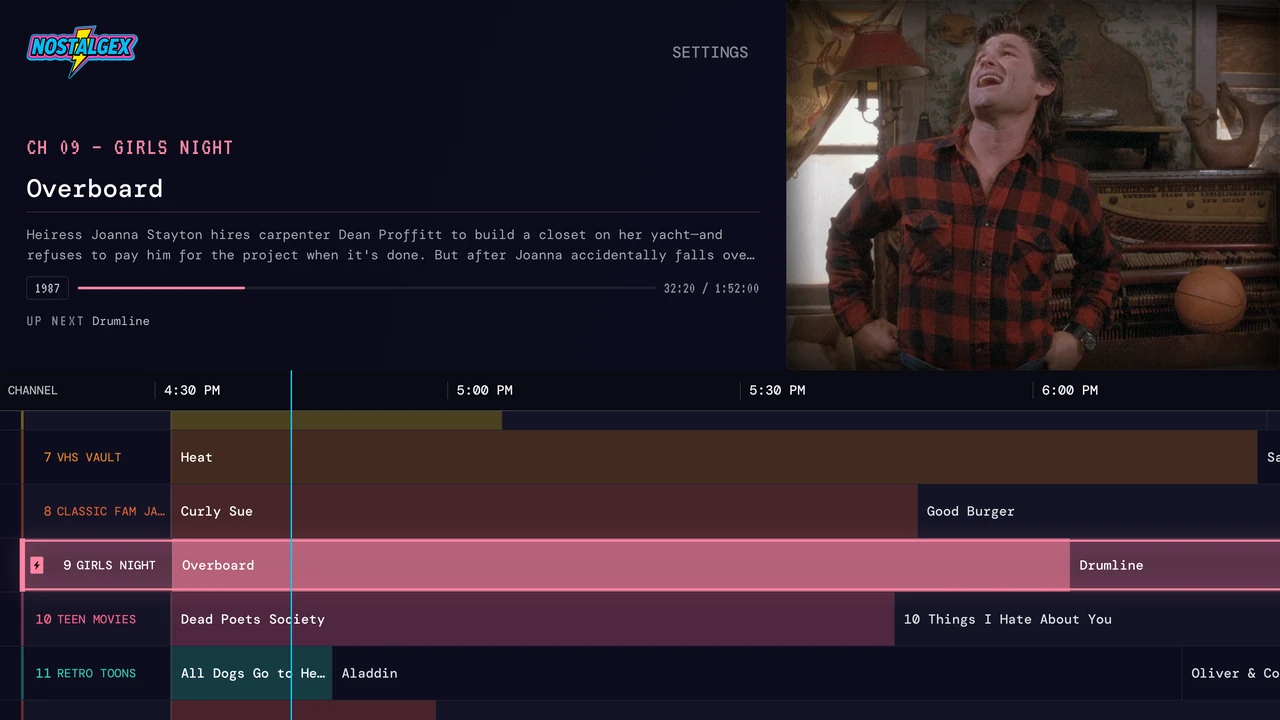
XDA Developers set this up with a Jellyfin server in October and found it much easier than configuring Tunarr or ErsatzTV channel by channel, with less control in exchange.
How do I set up Nostalgex with Jellyfin on Apple TV?
The Nostalgex for Jellyfin page has a look at the guide and the short version. Here are the steps. You need an Apple TV on tvOS 18 or later and a Jellyfin server the Apple TV can reach.
- Install Nostalgex free from the App Store on your Apple TV.
- Choose Jellyfin when it asks which server you use.
- Sign in with Quick Connect. The Apple TV shows a code. Open Jellyfin in a browser where you're already signed in, go to Quick Connect, and enter it. No typing a long password with the Siri Remote. You can also type your server address and log in the normal way. Typing just the IP works, since it looks on port 8096 for you.
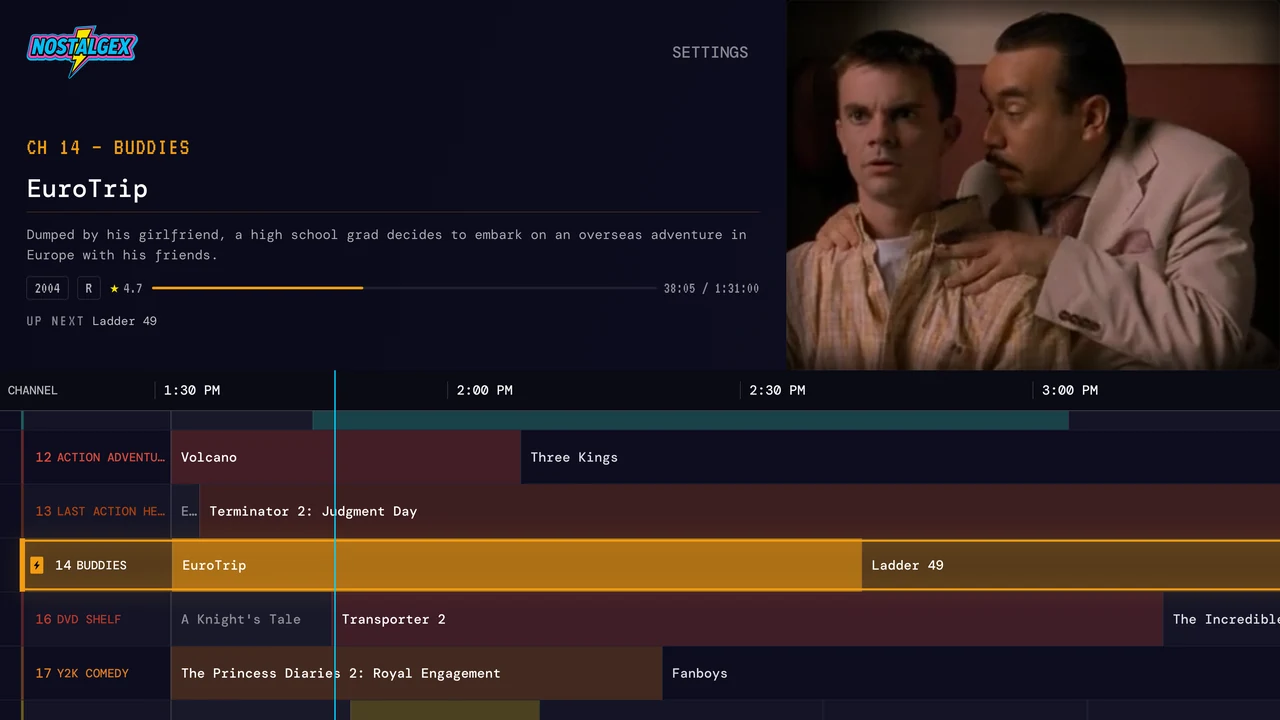
- Open the guide. That's it. Your library gets sorted into channels on its own: Saturday morning cartoons, 90s sitcoms, the VHS vault, decades, franchises. There are 130+ channels in 14 bundles, and the ones you see depend on what's in your library. No westerns, no westerns channel.
Everything is already playing when you tune in, so you drop into the middle of a movie the way you would have in 1996. You can switch whole bundles on and off in settings, like turning off the kids bundle, but you don't program anything. This month there's a free SCREAM bundle you can turn on with one button. It adds a set of horror channels, from SCREAM KIDS for the little ones to FRIGHT NIGHT and NOSTALGEX HORROR, and you can keep it on after October.
A few things that matter to Jellyfin people specifically, because I'm one of you:
- It reads your library and never adds, renames, moves or deletes anything.
- Your server address and token stay in the Apple TV keychain. I never see your username or password.
- It's free and open source under the MIT license, with no account to make. It needs no subscription and no Plex Pass.
- It direct plays when the Apple TV can decode the file and only falls back to transcoding when it has to. Subtitle and audio language choices stick.
Can I use it in a web browser?
Yes, with one catch. The free web tuner runs the same channels in any browser, and it's the fastest way to see if you like this before installing anything. But browsers block a secure page from talking to a plain http server, so your Jellyfin server needs an https address with a valid certificate. If it's only on http on your home network, use the Apple TV app instead, which has no such limit. A reverse proxy or a tunnel like Tailscale Serve can get you an https address if you want the browser route.
Do I have to set up M3U, XMLTV or a tuner for this?
No. That's the whole point of route three. You don't touch Jellyfin's Live TV settings at all, and nothing about your server changes. If you already have an antenna set up in Jellyfin, it keeps working exactly as before.
And if you ever want those channels on a TV that isn't an Apple TV, a channel server from option 2 is still the way to share them everywhere.
FAQ
Does Jellyfin have pseudo TV built in?
No. Jellyfin's Live TV only shows channels from a tuner or IPTV playlist. To get channels from your own library, you need a plugin, a separate channel server, or an app like Nostalgex that builds the guide itself.
Do I need a Jellyfin plugin to get live channels?
Not if you use Nostalgex. It reads your library directly from the Apple TV or the web tuner, so there's nothing to install on the server.
Can I keep using Swiftfin alongside Nostalgex?
Sure. They're separate apps. Use Swiftfin when you want to pick something specific and Nostalgex when you want to see what's on.
Does Nostalgex change anything on my Jellyfin server?
No. It reads your library to build the channels. It never adds, renames, moves or deletes anything. The Nostalgex for Jellyfin page covers what it reads and what it stores.
Why won't the web tuner connect to my Jellyfin server?
Almost always because the server is on plain http. Browsers block that from a secure page. Give the server an https address, or use the Apple TV app, which connects to http servers on your network fine.
Is NostalgiaTV available for Jellyfin on Apple TV?
NostalgiaTV, a separate app, supports Jellyfin on Android, Android TV and Amazon devices. It isn't on Apple TV as of October 2026. On Apple TV, Nostalgex connects to Jellyfin with Quick Connect and builds the guide for you.