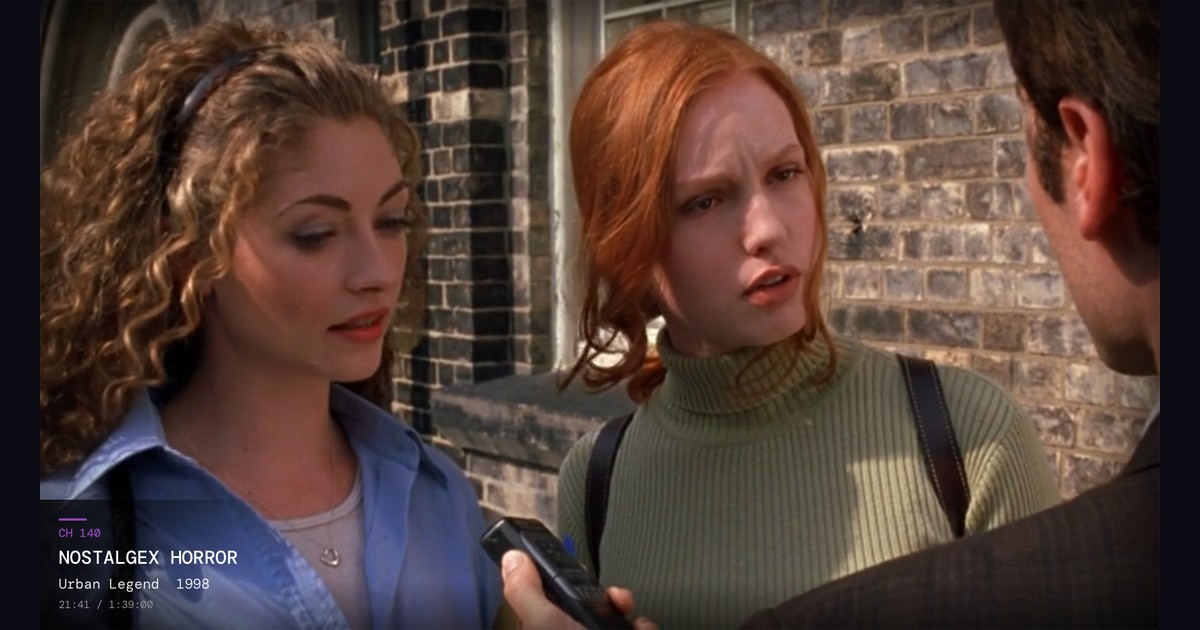
The best channel surfing app for Apple TV depends on your server and your budget. Nostalgex is free and turns a Plex, Jellyfin or Emby library into 130+ live channels with a retro guide, with nothing to set up. Coax is the pick if you want to build your own lineups, and Bunny Ears TV has the biggest built in lineup for Plex if you'll pay for extras.
Full disclosure before anything else: I made Nostalgex. That makes me a good source on what it does and a biased one on which app you should pick. So I'm going to try to write the post I'd want to read, and I checked every competitor detail below on the vendor's own App Store page or website on October 20, 2026. Where I couldn't confirm something, I left it out.
A year ago there was barely anything here. Now there are at least five apps that turn a media server into channels you can flip through on an Apple TV, and they're more different than they look.
What should I look for in a channel surfing app for Apple TV?
A few questions sort these apps out quickly:
- Which server do you run? Some apps are Plex only. If you're on Jellyfin, that cuts the list down fast.
- Which Apple TV do you have? Requirements range from tvOS 17 to tvOS 26, and one app doesn't support the Apple TV HD at all.
- Do you want to build channels, or just watch them? Some apps hand you knobs. Others build everything for you.
- What do you want to pay? Free, subscription or lifetime.
- Do you need it on other screens? Some run on iPhone and iPad too. One runs in a browser.
Is NostalgiaTV available on Apple TV?
Not as of October 2026. NostalgiaTV is a popular channel surfing app for Plex, Jellyfin and Emby, but it runs on Android, Android TV and Amazon devices, with an optional Docker server (Google Play listing). Apple TV owners have asked for a version in its subreddit, and there's no announced date. If you came here looking for it on an Apple TV, the apps below are the ones that actually run there.
What's the best channel surfing app for Apple TV?
It depends on your server and your Apple TV more than anything else, which is why I'm not going to just say mine and move on. If you run Jellyfin, your real choices today are Nostalgex and Coax. If you're on Plex with a newer Apple TV, all five are on the table. If you want free and open source from the App Store, it's Nostalgex. Here's the whole field at a glance:
| App | Servers | Apple TV needs | Build your own channels | Other screens | Price on the App Store (as of October 2026) |
|---|---|---|---|---|---|
| Nostalgex | Plex, Jellyfin, Emby | tvOS 18 or later | No, it builds them | Web browser | Free, optional tips |
| Coax | Plex, Jellyfin, Emby | tvOS 18.6 or later | Yes (Lineups) | iPhone, iPad, Mac, Vision Pro | Free download, then $2.99 a month or $29.99 a year after a free week, or $74.99 lifetime |
| Bunny Ears TV | Plex | tvOS 26 or later | Yes, with Plus | iPhone and iPad, per its website | 26 channels free. Plus is $2.99 a month, $17.99 a year or $29.99 lifetime |
| TubeTime+ | Plex | tvOS 18 or later | Builds them from your libraries | iPhone, iPad, Mac | Free for 1 hour of watch time. Premium is $1.99 a month, $19.99 a year or $49.99 lifetime |
| analoq | Plex | tvOS 17 or later | Collections become channels | None | Free, open source, sideload only |
The sections below go app by app so you can match one to your setup.
Is there a free app that turns my Plex library into live TV channels?
That's where Nostalgex fits, and it's why I built it. It's free on the App Store, open source under the MIT license, and needs no account. There's an optional tip jar, and it needs nothing paid on your end. No Plex Pass, no subscription.
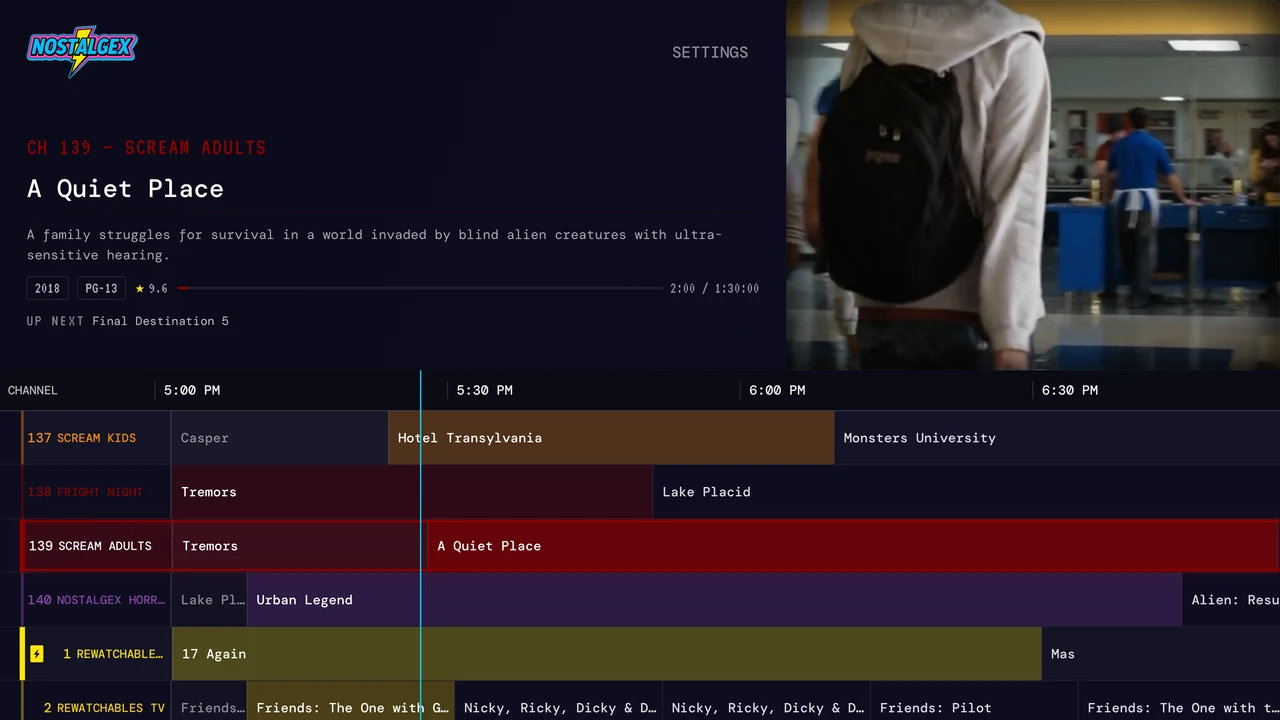
You connect your Plex, Jellyfin or Emby server (how it works on Plex, on Jellyfin, on Emby) and it builds 130+ channels in 14 bundles from your library automatically. You don't pick what goes where. You open the guide and something is already on, halfway through, like cable used to be. This month there's a free SCREAM bundle you can turn on with one button. It adds a set of horror channels, from SCREAM KIDS for the little ones to FRIGHT NIGHT and NOSTALGEX HORROR, and you can keep it on after October. Here's what a night on those looks like.
It needs tvOS 18 or later. There's also a free web tuner that runs the same idea in a browser, as long as your server is reachable over https.
Where it falls short: there's no iPhone or iPad app, and you can't build your own channels. If either of those matters, keep reading.
Is Coax worth it for Plex?
If you want to shape your own lineups, yes. Coax is the one I'd point you to. It works with Plex, Jellyfin and Emby, and it runs on Apple TV, iPhone, iPad, Mac and Vision Pro. It generates a schedule on its own, but it also has Lineups, where you can combine libraries, make channels from collections, filter genres and set age and date ranges. It fills gaps between programs with trailers or other clips from your server, and it has a retro theme and a weather channel. It has a loyal following, and its subreddit is active.
As of October 2026, its App Store listing shows a free download with in app purchases: $2.99 monthly or $29.99 a year, each with the first week free, or $74.99 for lifetime. The Apple TV version needs tvOS 18.6 or later.
What's a good Bunny Ears TV alternative?
If Bunny Ears TV's tvOS 26 requirement or Plex only support rules it out, Coax and Nostalgex are the closest alternatives. Here's what Bunny Ears does well first.
Bunny Ears TV has the biggest built in lineup for Plex. It's Plex only (its FAQ says plainly it doesn't connect to Jellyfin or Emby). Its website says it runs on Apple TV, iPhone and iPad, though the US App Store listing currently shows it as an Apple TV app. Its site lists more than 400 built in channels, including 68 radio stations, with a 26 channel Basic package that stays free. A paid Plus tier adds the rest, plus custom channels, DVR style controls and bumpers.
As of October 2026 it needs an Apple TV 4K running tvOS 26, and the FAQ says the Apple TV HD isn't supported. Its App Store listing shows Bunny Ears Plus at $2.99 a month, $17.99 a year or $29.99 lifetime as of October 2026. Its website has listed different prices before, so check the purchase screen.
Are there newer indie options?
Two worth knowing about:
- TubeTime+ left its TestFlight beta and is now on the App Store. It's Plex only, Apple TV is the main experience, and it also runs on iPhone, iPad and Mac with an Apple Watch remote. As of October 2026 it's free to try for 1 hour of watch time, then Premium is $1.99 a month, $19.99 a year or $49.99 lifetime. The Apple TV version needs tvOS 18 or later.
- analoq is free and open source, and it turns your Plex collections into channels. It isn't on the App Store. Per its GitHub readme, you build it with Xcode or sideload it, and it targets tvOS 17 or later.
Can I use Tunarr with an Apple TV IPTV player instead?
Totally. If you already run Tunarr, you can open its M3U playlist in an IPTV player like UHF and skip all of these apps. You get Tunarr's scheduling and channels on every device in the house, at the cost of running a server. I wrote a whole post on ErsatzTV and Tunarr alternatives for Apple TV that covers when a server makes sense and when it doesn't.
Which app works with Jellyfin on Apple TV?
Of the apps here, Nostalgex and Coax. Both cover Plex, Jellyfin and Emby. Bunny Ears TV, TubeTime+ and analoq are Plex only right now. Nostalgex supports Jellyfin's Quick Connect, so you approve the Apple TV from your phone instead of typing a password with the remote.
If you're on Jellyfin and wondering why its own guide is empty, I explained that in how to get a TV guide for your own Jellyfin library.
Which one is right for my setup?
Here's how I'd break it down if a friend asked:
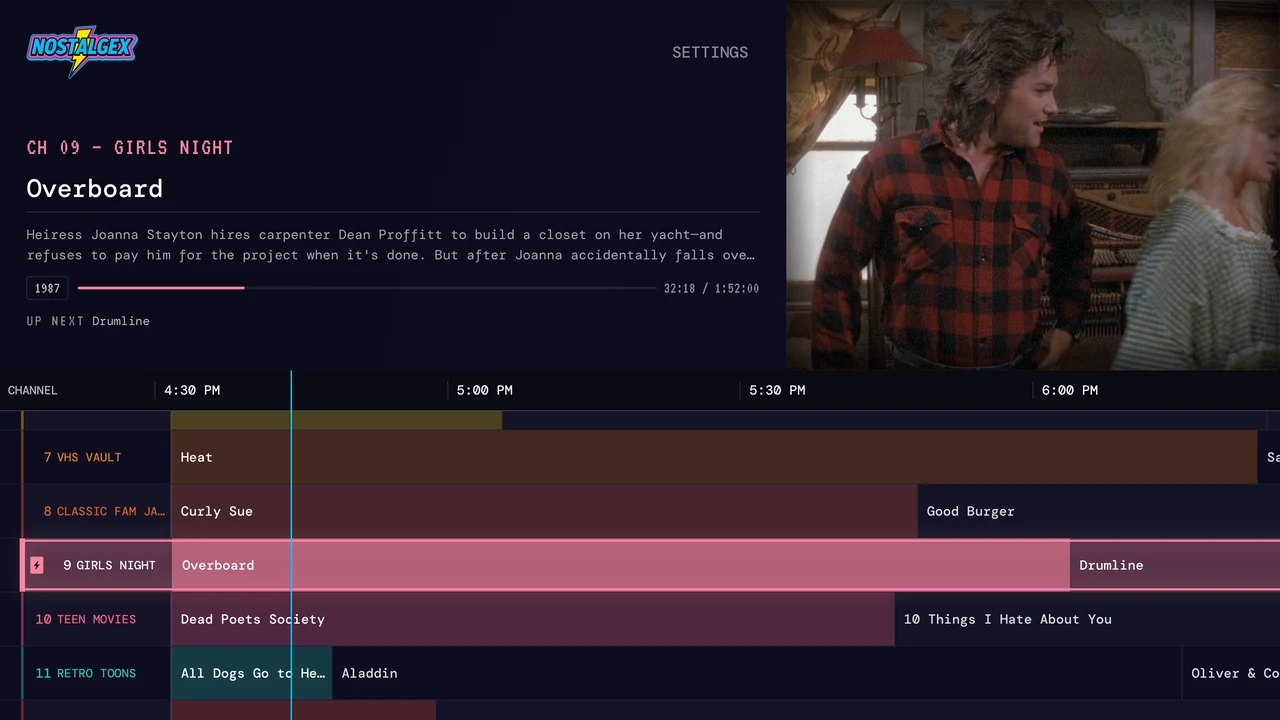
- Want it free, run Jellyfin or Emby, or have an older Apple TV on tvOS 18: Nostalgex.
- Want to shape your own lineups, or use iPhone and iPad too: Coax.
- All in on Plex, have a newer Apple TV, and want hundreds of channels and radio: Bunny Ears TV.
- On Plex and want an Apple Watch remote: TubeTime+.
- Want open source and don't mind sideloading: analoq.
The nice thing is that none of these touch your server's files, so trying two or three costs you an evening at most.
FAQ
Is there a free channel surfing app for Plex on Apple TV?
Yes. Nostalgex is free on the App Store and needs no account. Tips are optional. Bunny Ears TV also has a free 26 channel Basic package, and TubeTime+ is free to try for 1 hour of watch time.
Which channel surfing apps work with Jellyfin?
Nostalgex and Coax both work with Plex, Jellyfin and Emby. Bunny Ears TV, TubeTime+ and analoq are Plex only as of October 2026.
Do these apps need Plex Pass?
Nostalgex needs nothing paid at all, so no Plex Pass. Check each other app's own page for its requirements.
Can I channel surf my library without an Apple TV?
With Nostalgex, yes, using the free web tuner in a browser. Your server has to be reachable over https for that.
Is NostalgiaTV on Apple TV or iPhone?
No. NostalgiaTV is on Android, Android TV and Amazon devices as of October 2026. On Apple TV, Nostalgex, Coax, Bunny Ears TV, TubeTime+ and analoq do a similar job.