Franchise marathons from your own library, TV spinoffs included
Every franchise marathon I've ever planned went the same way. Big plans for all of them in order. Then twenty minutes picking which one to start with, a debate about whether the prequels count, and somebody falls asleep before the sequel.
So I let the TV do it. Since Nostalgex 1.0.26 on Apple TV, the film series in your own Plex, Jellyfin or Emby library get their own live channels. You flip to one and the marathon is already going. And like the rest of the app, it's plug and play: no server plugin, no Docker needed, no playlists to build.
Here's how franchise channels work, where the TV shows come in, and a few marathons worth flipping to this weekend.
What is a franchise channel?
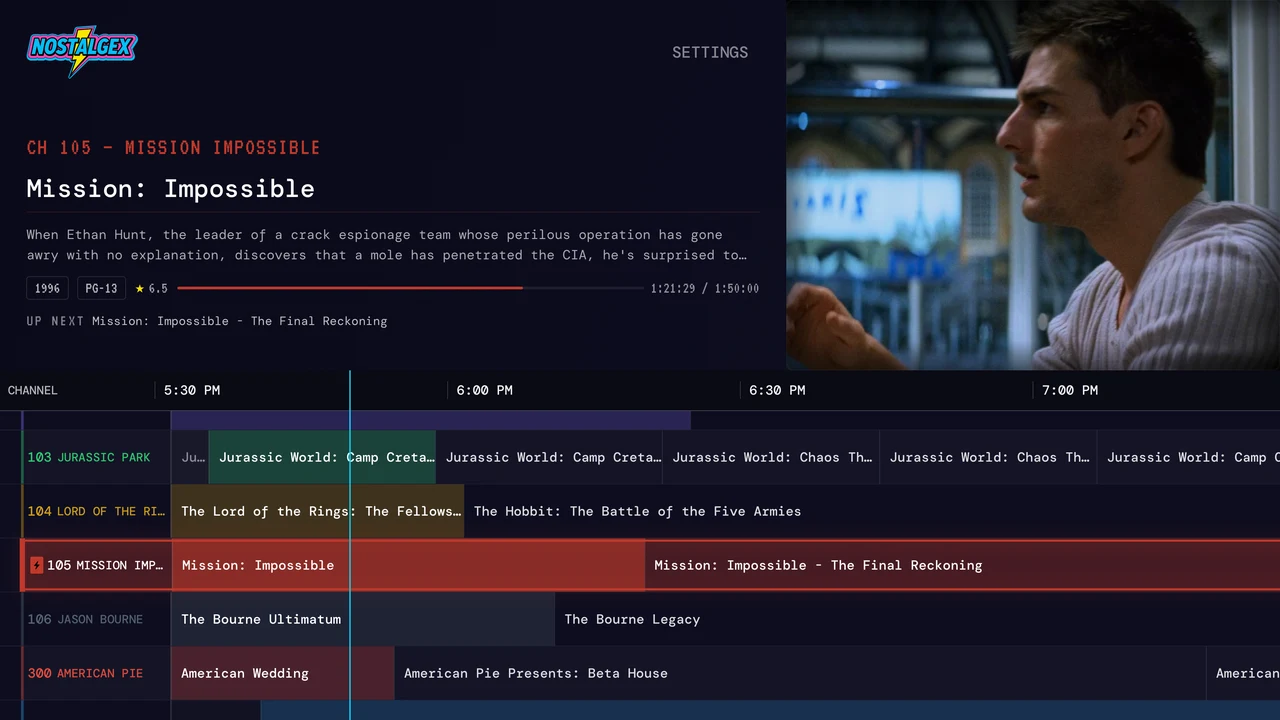
A franchise channel is a live channel that airs one film series from your own library, all day, like everything else in Nostalgex. It's plug and play. You don't schedule anything, you don't build a playlist, and you don't decide what goes first. Nostalgex builds the channel and runs the schedule from what you own. When you tune in, you land wherever the schedule is, the same as real TV.
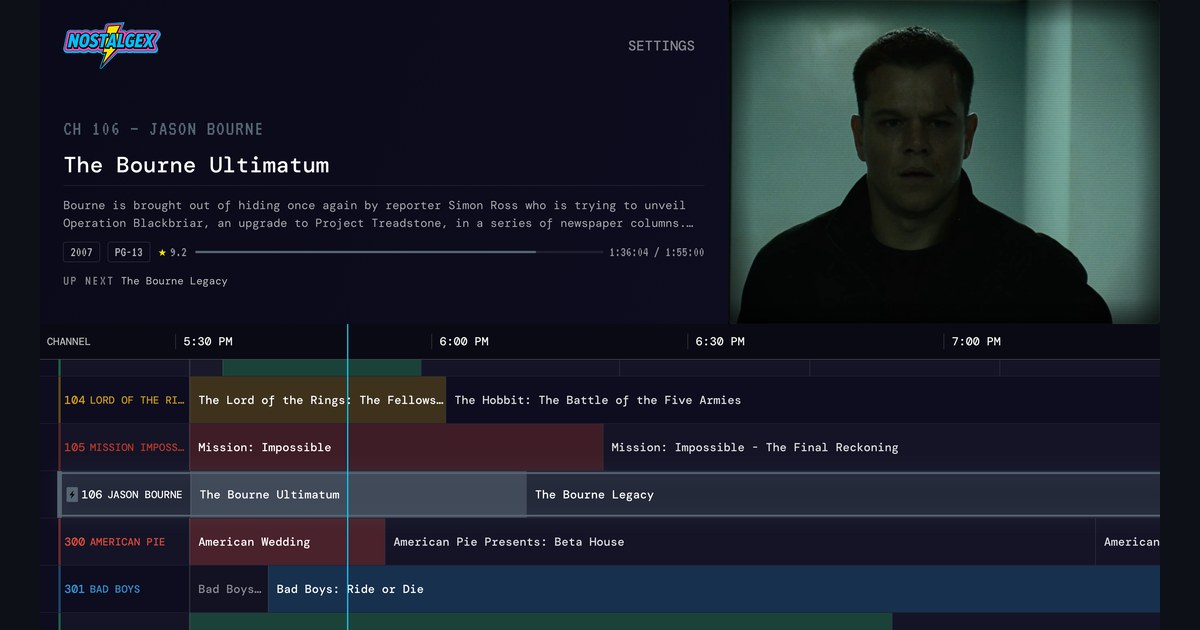
That's the fun part. Turn on JASON BOURNE and you're an hour and a half into The Bourne Ultimatum, with The Bourne Legacy up next. You weren't going to start there. You're staying anyway.
Which franchise channels are there?
Two kinds, and they sit in two places on the dial.
The classics, in the 100s. These are channels for the big series a lot of libraries have. In my guide right now that's 101 MARVEL, 102 HARRY POTTER, 103 JURASSIC PARK, 104 LORD OF THE RINGS, 105 MISSION IMPOSSIBLE and 106 JASON BOURNE. They fill from the films you actually own.
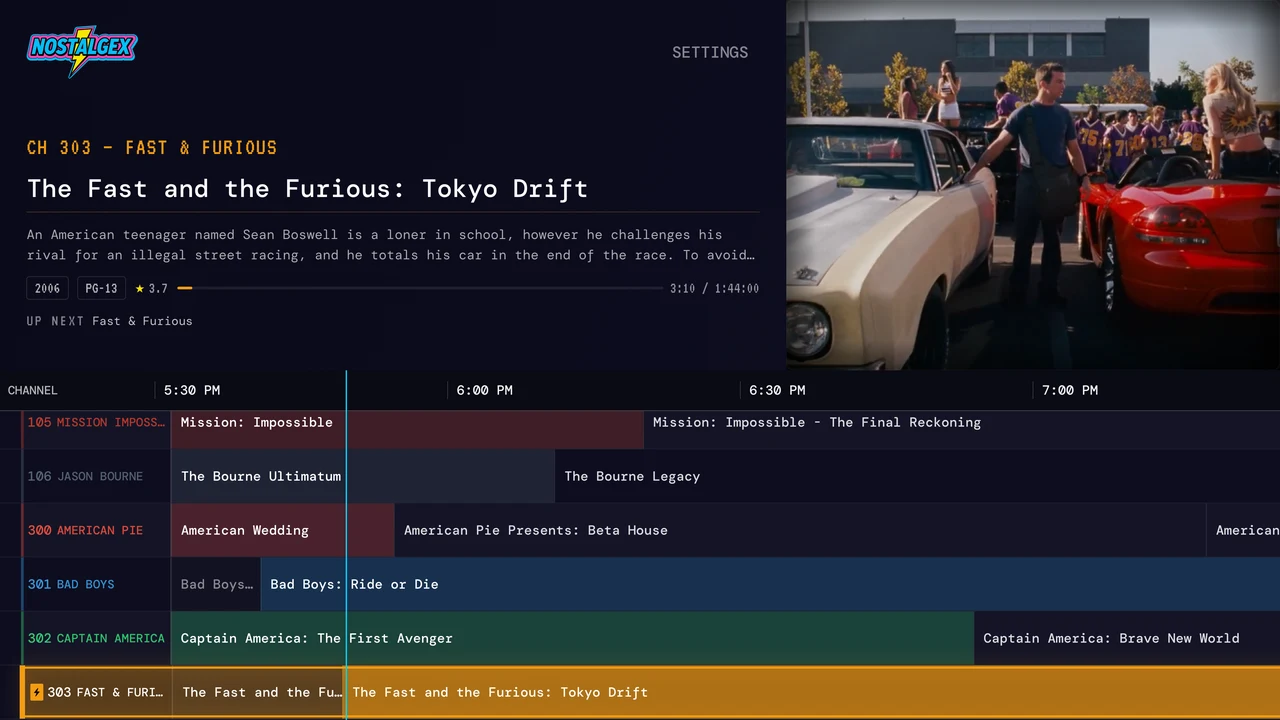
Your own, in the 300s. This is where it gets personal. Nostalgex looks through your movies, works out which ones belong to the same series using TMDB and IMDb data, and any series where you own 3 or more films gets a channel. My library came up with 300 AMERICAN PIE, 301 BAD BOYS, 302 CAPTAIN AMERICA and 303 FAST & FURIOUS. Yours will be different, because your shelf is different. That's the point.
Two films is a double feature, not a channel. Three or more and there's enough to keep a schedule going.
Do TV spinoffs show up on franchise channels?
Yes, and it's my favourite surprise in the whole feature. If you own a show from the same franchise, it can mix in with the films. Flip to 103 JURASSIC PARK in my guide and Jurassic World: Camp Cretaceous is on, with Jurassic World: Chaos Theory coming up after it.
That's how a franchise used to feel on cable. You'd catch the movie on one night and the cartoon on Saturday morning, and it all counted.
What about the collections I already made on my server?
They still count, and they won't show up twice. If you already made a collection for a series on your Plex, Jellyfin or Emby server and Nostalgex found the same series on its own, it's folded into one channel instead of two.
The rest of your collections come along too. In Settings, under MY COLLECTIONS, press SCAN MY COLLECTIONS and Nostalgex lists the movie collections on your server so you can turn the ones you want into channels. Film series land in FRANCHISES. Everything else, like actor and director sets or a holiday shelf, lands in OTHER COLLECTIONS.
Where do I turn franchise channels on?
Open Settings on your Apple TV and go to CHANNEL PACKAGES. Turn on FRANCHISES. Give it a moment while it builds.
Once it's on, a list called YOUR FRANCHISES opens right under it, with a switch for every series Nostalgex found, plus ADD ALL and REMOVE ALL. So if you want BAD BOYS and JASON BOURNE but would rather keep AMERICAN PIE off the TV when your parents visit, you can. Nothing else in your lineup changes.
Five franchise marathons worth flipping to
These are straight off my guide this week. Yours will look a little different, since every channel fills from what you own.
- JASON BOURNE. The Bourne Ultimatum into The Bourne Legacy. Peak "one more and then bed" energy.
- LORD OF THE RINGS. The Fellowship of the Ring, then The Hobbit: The Battle of the Five Armies. Middle-earth doesn't care about release order, and honestly neither do I.
- AMERICAN PIE. American Wedding, then American Pie Presents: Beta House. Maybe not with your parents in the room.
- BAD BOYS. Bad Boys: Ride or Die, then Bad Boys II. Miami, explosions, Saturday afternoon sorted.
- CAPTAIN AMERICA. Captain America: The First Avenger, then Captain America: Brave New World, while MARVEL runs its own thing on 101.
If you'd rather have a whole genre than one series, my posts on the best 90s buddy cop movies channel and a 90s slasher movie marathon show how those channels fill up from a normal library.
Why doesn't one of my series show up?
Usually one of three things:
- You own fewer than three films from it. Two isn't enough for a channel yet.
- A film isn't matched. If a movie has an odd title or year on your server, it may not match its series. Fix the match on the server and let Nostalgex rescan.
- The package is off. The YOUR FRANCHISES list only shows up when FRANCHISES is on.
Does it work with Jellyfin and Emby?
Yes. Franchise channels work the same way on Plex, Jellyfin and Emby, and Emby is officially supported since 1.0.26. The Plex, Jellyfin and Emby pages cover connecting each one, and the 1.0.26 release notes have everything else that came with it.
How do I start a franchise marathon tonight?
Get Nostalgex on your Apple TV (tvOS 18 or later) and connect your server. On Plex that's scanning the code on screen with your phone. On Jellyfin you pick your server from the list it finds on your network and approve a Quick Connect code, and on Emby you sign in with your username and password. Then turn on FRANCHISES under CHANNEL PACKAGES in Settings. You'll get 130+ channels built from your own library, with your franchises right there on the dial. Then flip around and see which sequel is on right now.
Free on Apple TV, get it on the App Store. Open source (MIT), no account. No Apple TV handy? The web tuner shows you what Nostalgex does with your library in a browser, and the support page has fixes if connecting gets stuck.
See you on the dial.
Chad