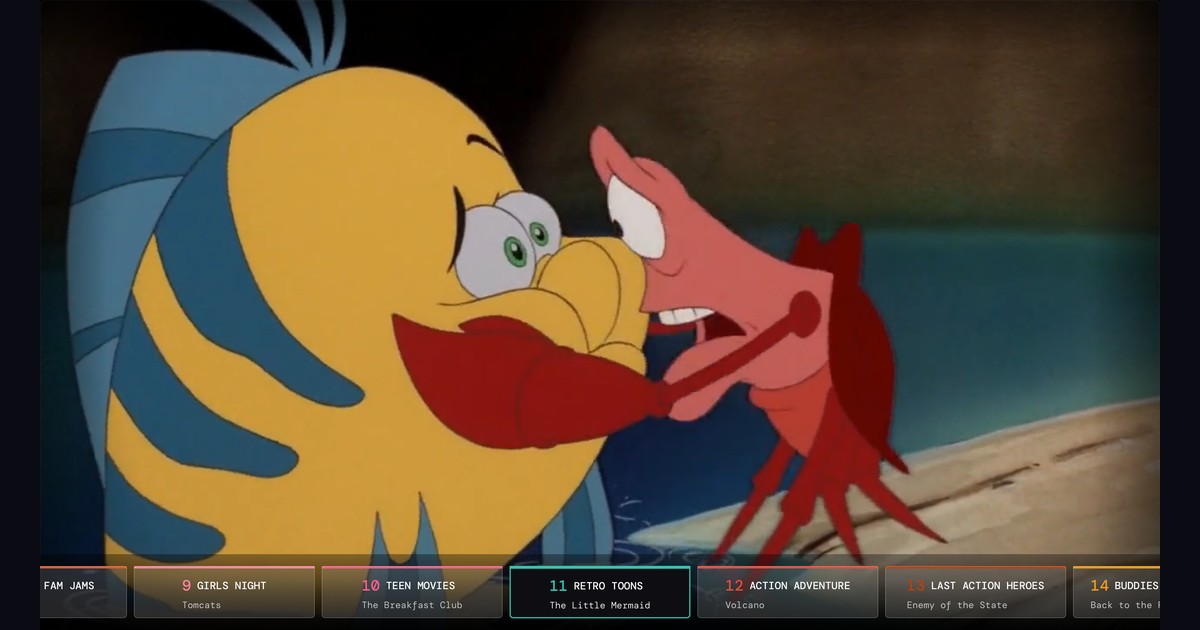
NostalgiaTV on Apple TV? A free nostalgia TV app for Plex, Jellyfin and Emby
NostalgiaTV is a retro TV app for Android TV, Google TV and Fire TV, with an optional Docker server. As of October 2026 it isn't on Apple TV. Nostalgex is a different app with the same idea: it's free on Apple TV, connects to Plex, Jellyfin or Emby, and builds 130+ live channels from your own library with nothing to program. There's also a free web tuner for any browser.
If you typed "nostalgia tv" or "nostalgia tv app" into a search bar and ended up here, let me save you a minute of confusion first. I make Nostalgex. I don't make NostalgiaTV. They are two separate apps, built by two different people, that happen to chase the same feeling: turning on the TV and finding something already playing.
The names are close enough that people mix them up, so this page is me being straight about what each one is, where each one runs, and which one makes sense for the screen you own.
Is NostalgiaTV the same app as Nostalgex?
No. NostalgiaTV is its own app with its own developer, its own community and its own roadmap. I have no connection to it, and nothing here is meant to speak for it.
What the two share is the idea. Both take the movies and shows on your own media server and turn them into live channels with a guide, so you channel surf instead of scrolling a grid of posters. Neither one streams content from the internet. Everything plays from your own library.
What is the NostalgiaTV app?
NostalgiaTV is a retro TV player for Plex, Jellyfin and Emby. Based on its Google Play listing and its own docs, it has a lot going on:
- Dozens of pre built themed channels, plus tools to create and edit your own channels from libraries, collections, playlists, genres or individual titles
- Several scheduling styles (random, marathon, time slots and more) and seasonal lineups
- A big set of guide themes, from Retro to Cable Box
- Commercials and bumpers, multiple profiles with PIN protection, and optional cloud sync
- Local files support, so it can build channels from folders on the device itself
If you like to tinker and you want to shape every channel yourself, it is a seriously deep app, and its subreddit is an active, friendly place. I mean that.
What is the NostalgiaTV server?
NostalgiaTV also has an optional self hosted Docker server with a web interface and its own web player. It can pair your TV boxes with a code so you don't sign in on every device, and it can act as an HDHomeRun tuner for Plex DVR, Channels DVR or TiviMate.
Nostalgex works differently here. There's nothing to install next to Plex, Jellyfin or Emby. The Apple TV app talks straight to your media server, and the web tuner runs in a browser. If you want the web tuner at home on plain http, you can run it as a Docker container, but that's optional.
Is NostalgiaTV on Apple TV?
Not as of October 2026. NostalgiaTV runs on Android phones and tablets, Android TV and Google TV boxes, and Amazon Fire TV through the Amazon Appstore, plus the optional Docker server with its web player. There's no tvOS app in the App Store, and Apple TV owners have asked about one in its community without an announced date.
So if you have an Android TV box or a Fire TV Stick, go try NostalgiaTV. If your living room runs on an Apple TV, keep reading.
What does Nostalgex do on Apple TV?
Nostalgex is a native Apple TV app (tvOS 18 or later) that turns your Plex, Jellyfin or Emby library into live channels with a retro guide.
The big difference in approach: Nostalgex is plug and play. You connect your server, and it builds 130+ themed channels in 14 packages from what you actually own. Rewatchables, Saturday Morning Cartoons, 90s Sitcoms, Teen Movies, Buddies, Retro Toons and a lot more. Nostalgex runs the schedules. You don't set up time slots or playlists. You just turn on the packages you like in Settings and start flipping.
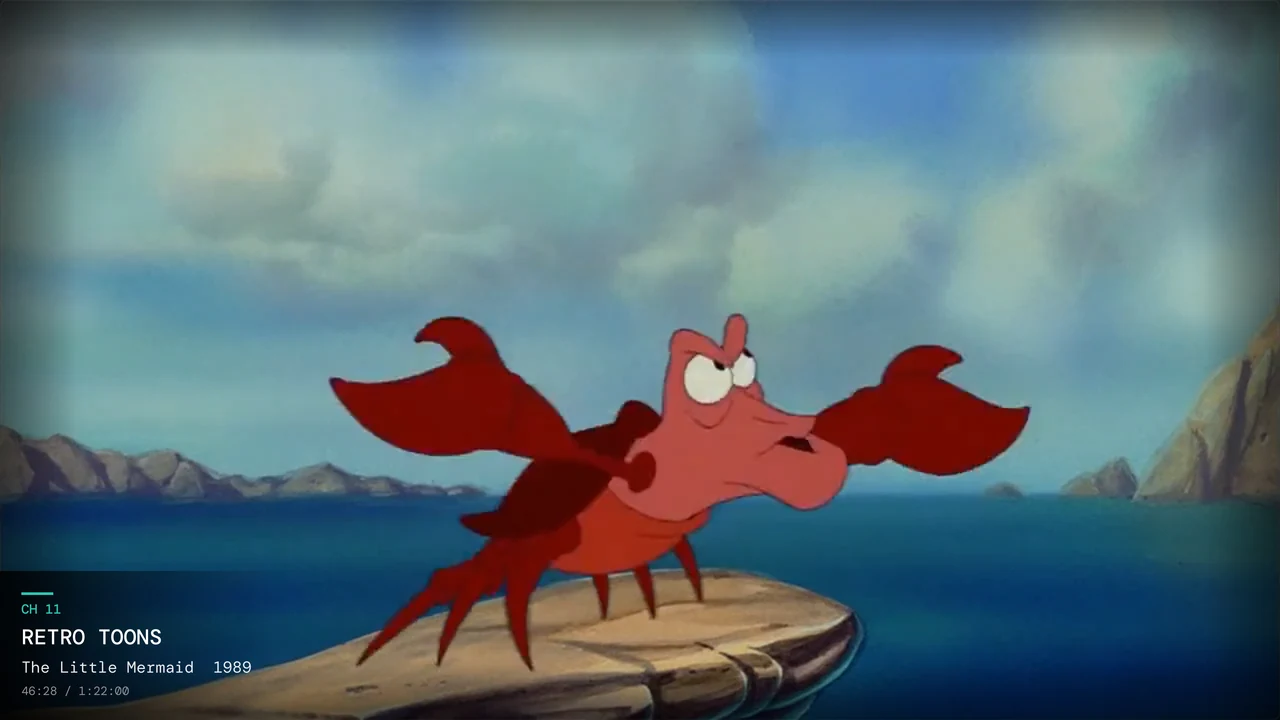
A few things I'm proud of:
- Retro mode. CRT scanlines and a 4:3 picture, for when you want it to look like 1996.
- Swipe to surf. Swipe on the Siri Remote to flip channels, with a channel bar along the bottom.
- Franchise channels. Every film series in your library with three or more films gets its own channel, each with its own switch.
- Collection channels. The collections on your server can become channels too, filed under FRANCHISES or OTHER COLLECTIONS.
- Kids and family channels with R rated content filtered out.
- Optional iCloud sync, so every Apple TV in the house shares the same lineup.
It's free, open source (MIT), and there's no account to make. A free Plex account works.
Can I watch Nostalgex without an Apple TV?
Yes, in a browser. The free web tuner runs Nostalgex on any computer. Connect Plex, Jellyfin or Emby (Emby has its own Connect with Emby button) and you're flipping channels in a couple of minutes.
One catch: browsers need your server to be reachable over https. Plex handles that for you. For Jellyfin or Emby you may need an https address, or you can run the web tuner as a Docker container at home. The support page walks through the easy ways.
The web tuner is also the fastest way to see what Nostalgex does with your own library before you bother with the Apple TV.
Which nostalgia TV app should I pick?
Honestly, it mostly comes down to the box under your TV and how hands on you want to be.
- You have an Android TV, Google TV or Fire TV, and you want to build channels yourself: NostalgiaTV.
- You want an HDHomeRun style tuner for Plex DVR or another IPTV player: the NostalgiaTV server, or a server tool like Tunarr. I compared those in my post on Tunarr and ErsatzTV alternatives.
- You have an Apple TV and want channels that just appear from your library: Nostalgex.
- You want to try something tonight on a laptop: the Nostalgex web tuner.
If you want the wider view of what actually runs on tvOS, I rounded up the channel surfing apps for Apple TV, with prices checked as of October 2026.
Does Nostalgex work with Plex, Jellyfin and Emby?
All three. Plex is a sign in with your account, and Nostalgex finds your server. Jellyfin works with your username and password or Quick Connect, so you can approve the Apple TV from your phone instead of typing with the remote. Emby works with your username and password. The Plex, Jellyfin and Emby pages have the details for each.
On the Apple TV, Nostalgex talks straight to your server on your home network, plain http addresses included, so most home setups just work. Thinking about changing servers later? Your guide comes with you, and I wrote up moving from Plex to Jellyfin or Emby.
FAQ
Is NostalgiaTV free?
Check its Google Play or Amazon Appstore listing for current pricing, since I can't speak for it. Nostalgex is free, with an optional tip jar that unlocks nothing.
Is there a NostalgiaTV app for Apple TV?
Not as of October 2026. It runs on Android, Android TV, Google TV and Fire TV. Nostalgex is a separate app that does run on Apple TV.
Do I need a server for Nostalgex?
You need your own Plex, Jellyfin or Emby media server with your movies and shows on it. Nostalgex doesn't need anything extra installed on that server.
Does Nostalgex come with movies?
No. It plays your own library. If a movie is on your server, it can show up on a channel.
How do I get started?
Grab Nostalgex on your Apple TV, connect your server, and give it a minute to build your channels. Then press play on the guide and see what's on.
And if NostalgiaTV is what you were looking for and you're on Android or Fire TV, go give it a try. There's room for more than one way to bring back channel surfing.
See you on the dial.
Chad
Free on Apple TV (tvOS 18 and up), get it on the App Store. Open source (MIT), no account.