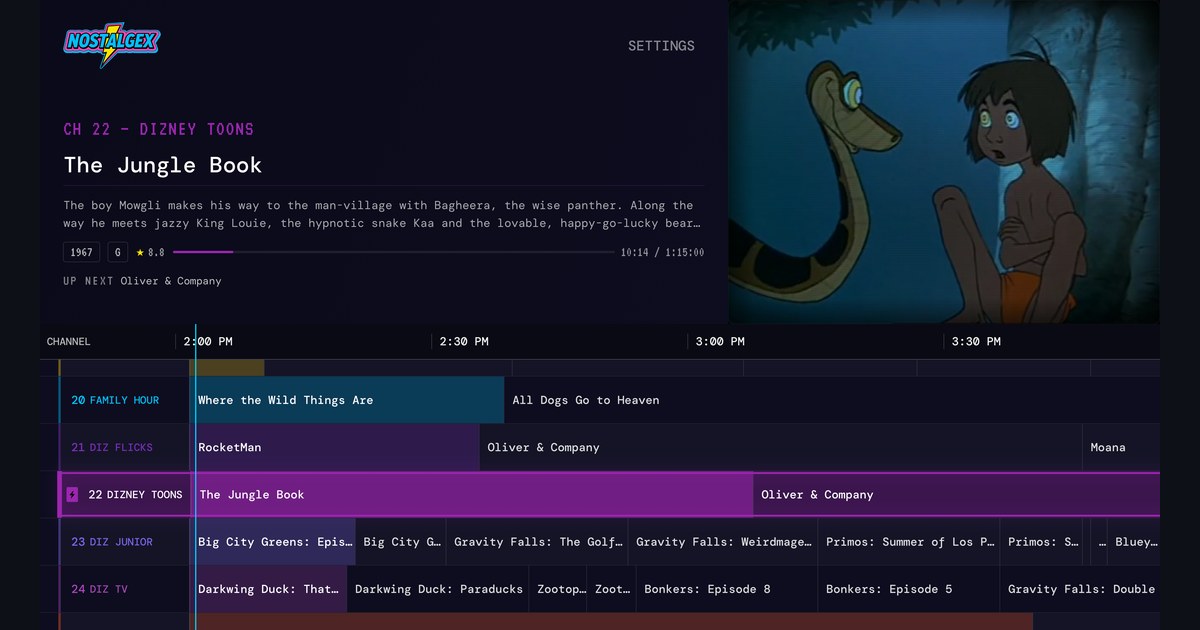
Missing something in the new Plex app on Apple TV? A sit back alternative
Plex's redesigned app started rolling out on Apple TV on September 17, 2026. Watch Together isn't part of the new experience, the trailer button is gone (trailers now sit further down a movie's page), and some people report missing library filters like actor, director and year. If you mostly want to browse, those are worth raising with Plex. If you'd rather not browse at all, Nostalgex reads the same Plex server and turns it into live channels with a retro guide, so something's already on.
First, a confession: I like Plex. I've run a Plex server for years, and I'm still running one. So this isn't a "Plex is ruined" post. There are plenty of those on Reddit this month and I don't think we need another.
But a lot of people in those threads are saying the same thing in different ways: "I just want to turn on the TV and watch something." That part I can help with, because it's the whole reason I made Nostalgex. It's plug and play: open the app, scan a code with your phone, and the TV is already on.
What changed in the new Plex app on Apple TV?
Here's what I could verify, with where it comes from:
- The rollout. Plex announced on its Apple TV forum thread on September 17, 2026 that the "newly reimagined and redesigned Plex experience is starting to roll out on tvOS."
- Watch Together. Plex said back in February 2025 that Watch Together wouldn't be part of the new Plex experience on most devices, though it stays in the web app (Android Authority's write up). Plex also said it might offer something similar again in the future. Apple TV users are now asking for it on the Plex forums.
- Trailers. They're not gone, but the trailer button is. People on r/PleX describe scrolling to a trailer row near the bottom of the page, or going through More.
- Library filters. Some users report losing filters by actor, director and year. That's from user reports, and Plex has been shipping updates since the rollout, so check your own app before you take my word for it.
To be fair to Plex, they've been listening on some of it. Their August navigation update moved the main menu back to the left side after "consistent feedback from the start regarding the navigation."
Is there a Plex app alternative for Apple TV that doesn't make me browse?
If you love browsing your library, the honest answer is to keep using a browsing app and send Plex feedback about the features you miss. Nostalgex won't filter by director or play you a trailer. That's not what it's for.
Nostalgex is for the other nights. The ones where you open the app, scroll for twenty minutes, and put on The Office again.
Comparing apps? I lined up the channel surfing apps for Apple TV.
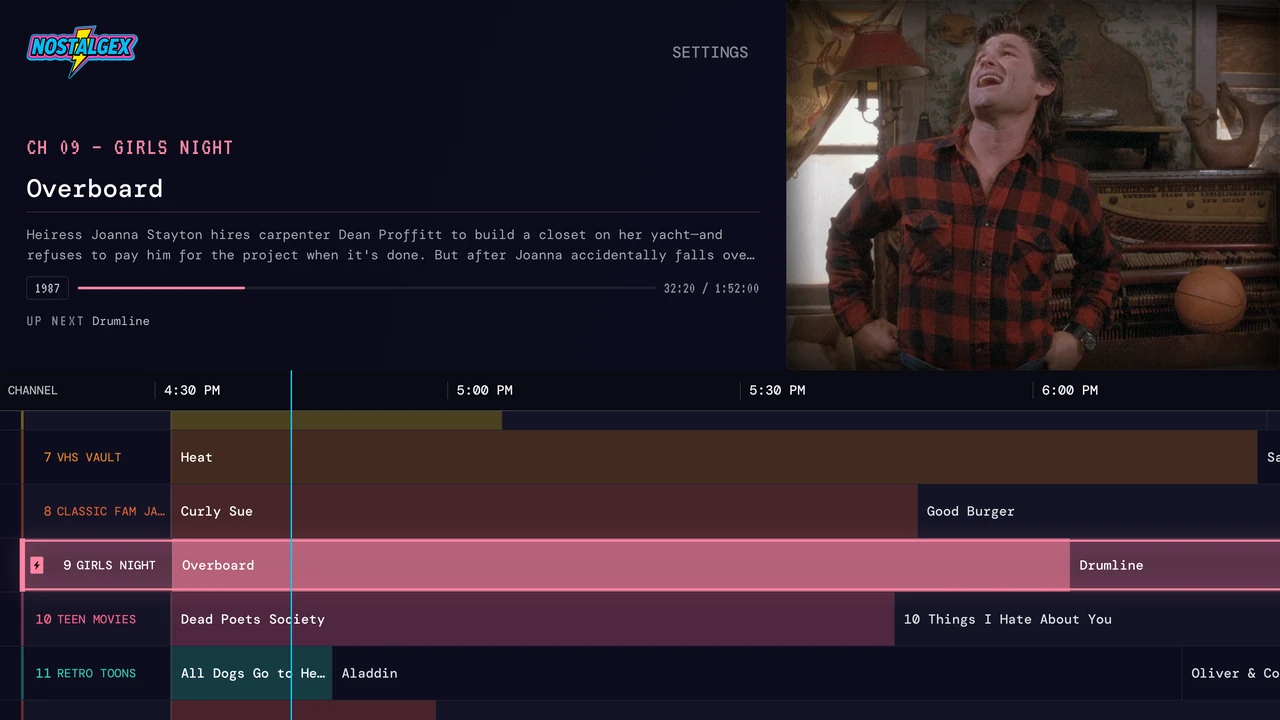
You open Nostalgex and there's a guide. 130+ channels built from your own library, already airing: 90s sitcoms, Saturday morning cartoons, a VHS vault, decades, franchises. You tune in and land in the middle of something, the way you would have in 1996. Nobody picks. It's just on.
What does sit back watching look like in Nostalgex?
A few things I use every night:
- The guide. See what's on now and next across every channel, then press play.
- Channel surfing without leaving the picture. Swipe through channels while the movie keeps playing, see what's on each one, and stop when something grabs you.
- A sleep timer. In the Now Playing panel: 15 minutes, 30 minutes or an hour. For when the movie wins.
- Retro mode. Also in the Now Playing panel. Boxy 4:3 picture, CRT scanlines, the whole living room in 1994.
- Subtitles and audio language in the same panel, without leaving the show.
And about Watch Together: Nostalgex doesn't do it. What I can tell you is that channel surfing works great with everyone on the same couch arguing over the remote. That's the original watch together, and it's free.
Do I have to give up Plex to use it?
No. Nostalgex reads the same Plex server your Plex app uses. Nothing gets installed on the server, and it never adds, moves or deletes anything. Keep Plex for browsing and use Nostalgex when you want the TV to just be on.
Setup is the plug and play part, and it really is short. Install Nostalgex on your Apple TV (tvOS 18 and up) and choose Plex. Scan the code on screen with your phone (or type it in at plex.tv/link), approve it, and the guide is already airing. No server plugin, no Docker needed, no settings to fill in first. At home on your own network, you don't need a Plex Pass for any of it. The Nostalgex for Plex page has the details.
It's free and open source (MIT), with no account. If you're on Jellyfin or Emby, it works with those too.
FAQ
Did Plex remove trailers from the Apple TV app?
Not entirely. The trailer button is gone in the new app, and users say trailers now sit in a row lower on the page or under More.
Is Watch Together in the new Plex app on Apple TV?
No. Plex said Watch Together wouldn't be part of the new Plex experience on most devices. It's still in Plex's web app.
Can I still filter my Plex library by actor or director on Apple TV?
Some users report those filters are missing in the redesigned app. Plex keeps shipping updates, so check the current version on your Apple TV.
Does Nostalgex replace the Plex app?
Not really. It's a different way to watch the same server. Use Plex when you want to pick something, and Nostalgex when you want something to already be on.
Does Nostalgex need a Plex Pass?
Not on your home network. Away from home, Plex's remote streaming rules apply to Nostalgex like any other third party Plex app.
Free on Apple TV, get it on the App Store, or try the web tuner in a browser first.