
Live TV for Jellyfin without a tuner, on Roku
Jellyfin's Live TV only fills up when you add a tuner or an IPTV playlist, so on Roku it won't show your own movies and shows by itself. To get live channels built from your Jellyfin or Emby library on Roku, add the free Nostalgex app from the Roku Channel Store (code NOSTALGEX), approve a Quick Connect code or sign in, and it builds 130+ channels with a retro guide. Nothing to install on your server.
If you opened Live TV in the Jellyfin app on your Roku and found an empty guide, welcome. You didn't misconfigure anything. A lot of us assumed a server full of movies plus a feature called Live TV would equal a 24/7 cable thing. It doesn't, at least not out of the box.
I built Nostalgex to scratch exactly that itch, so I'm biased. Here's the honest lay of the land anyway.
Why is Jellyfin Live TV empty on my Roku?
Because Jellyfin's Live TV is built for tuners. The Jellyfin docs describe it as a way to watch and record live television with supported hardware, like an HDHomeRun and an antenna, or an M3U playlist from an IPTV service, plus a guide data source. Your movie and TV libraries don't feed into it on their own. That's true on every Jellyfin client, Roku included.
Emby's Live TV is the same idea, built around tuners and IPTV rather than your library.
How do I get channels from my own Jellyfin library on Roku?
Three routes, from most work to least:
- A plugin on your server that registers channels with Jellyfin's Live TV. You define each channel yourself.
- A channel server like Tunarr that hands Jellyfin a playlist and a guide. Flexible, and you build the schedules.
- An app on the Roku that builds the channels itself. That's Nostalgex. It reads your library, makes the schedule, and asks Jellyfin for each file when it's time to play.
I went through the first two in more detail in Jellyfin TV guide for your own library.
How do I set up Nostalgex with Jellyfin or Emby on Roku?
- Add Nostalgex from the Streaming Store on your Roku, or from your Roku account with the code NOSTALGEX. The Roku page links straight to it.
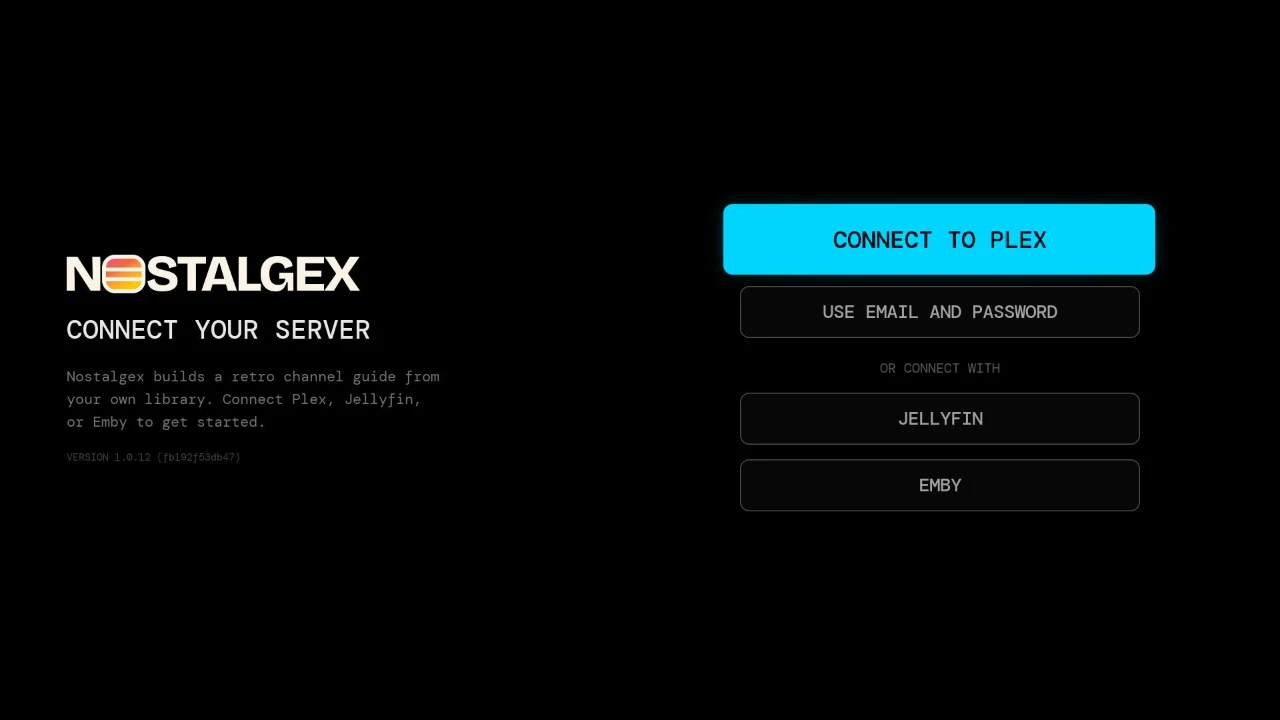
- Choose Jellyfin or Emby on the sign in screen.
- Sign in. On Jellyfin, the easy way is Quick Connect: approve the code from Jellyfin on your phone or computer. You can also pick your user from the server's list, or type a username and password.
- Flip. Nostalgex builds the channels and something is already playing.
Does my Jellyfin server need https for Roku?
No, not at home. The Roku app reaches your server over plain http when the address is on your home network, like 192.168.x, 10.x or a name ending in .local, and over https anywhere else. A Tailscale address works too. Your password goes to your server once and only the access token it returns is kept on the TV.
That's different from the web tuner in a browser, which needs https for Jellyfin and Emby because browsers block a secure page from talking to a plain http server. If you want a browser version on your home network, the Docker container gets around that.
What channels will I get?
It depends on your library, and that's the fun part. Nostalgex sorts your movies and shows into 130+ themed channels by genre, decade, studio and series: SAT MORNING CARTOONS, 80S SITCOMS, AFTER SCHOOL TV, RETRO TOONS, VHS VAULT and a lot more. Film series get their own FRANCHISES channels, and your Jellyfin collections can become channels too. A channel only shows up once you own enough to fill it.
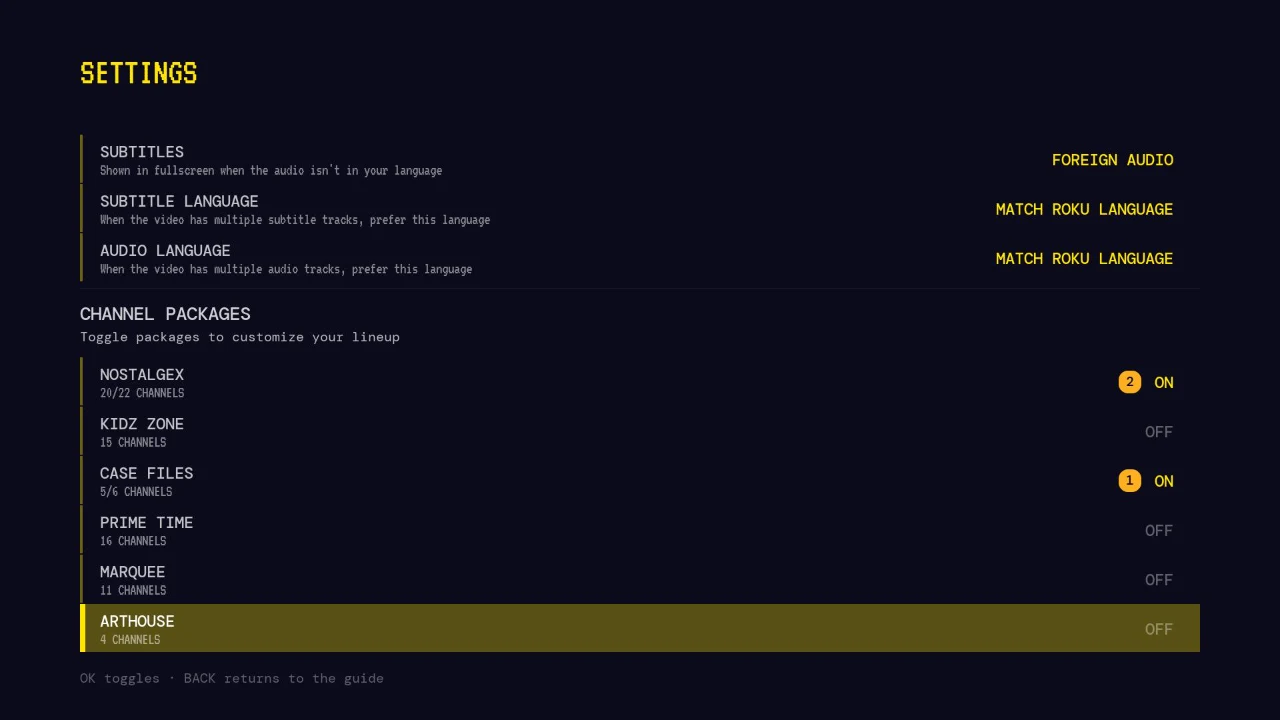
You never program a lineup. If you want fewer channels, switch whole packages off in Settings.
Will it mess with my watch history?
Only if you ask it to. The Roku app is read only until you turn on SHOW NOW PLAYING or MARK WATCHED in Settings, and both are off by default. Channel surfing never clutters your Resume row.
Is there a version for Apple TV?
Yes, and if you searched for Jellyfin on Apple TV with a real guide, it's the same app: free on the App Store, with Quick Connect sign in. The Nostalgex for Jellyfin and Nostalgex for Emby pages have the details. Moving over from Plex? Your channels come with you, see switching from Plex to Jellyfin or Emby.
FAQ
Does Jellyfin Live TV on Roku play my own movies?
No. Jellyfin's Live TV shows channels from a tuner or IPTV playlist. Your libraries don't appear in its guide by themselves.
How do I get live channels from Jellyfin on Roku without a tuner?
Add Nostalgex from the Roku Channel Store with code NOSTALGEX and sign in to your Jellyfin server. It builds 130+ channels from your own library.
Does Nostalgex on Roku support Jellyfin Quick Connect?
Yes. You can approve a Quick Connect code, pick a user from your server's list, or use a username and password.
Does it work with Emby on Roku?
Yes. Plex, Jellyfin and Emby all work.
Do I need https for my Jellyfin server?
Not on your home network. The Roku app uses plain http for home network addresses and https everywhere else.
Is it free?
Yes. Nostalgex is free and open source under MIT.