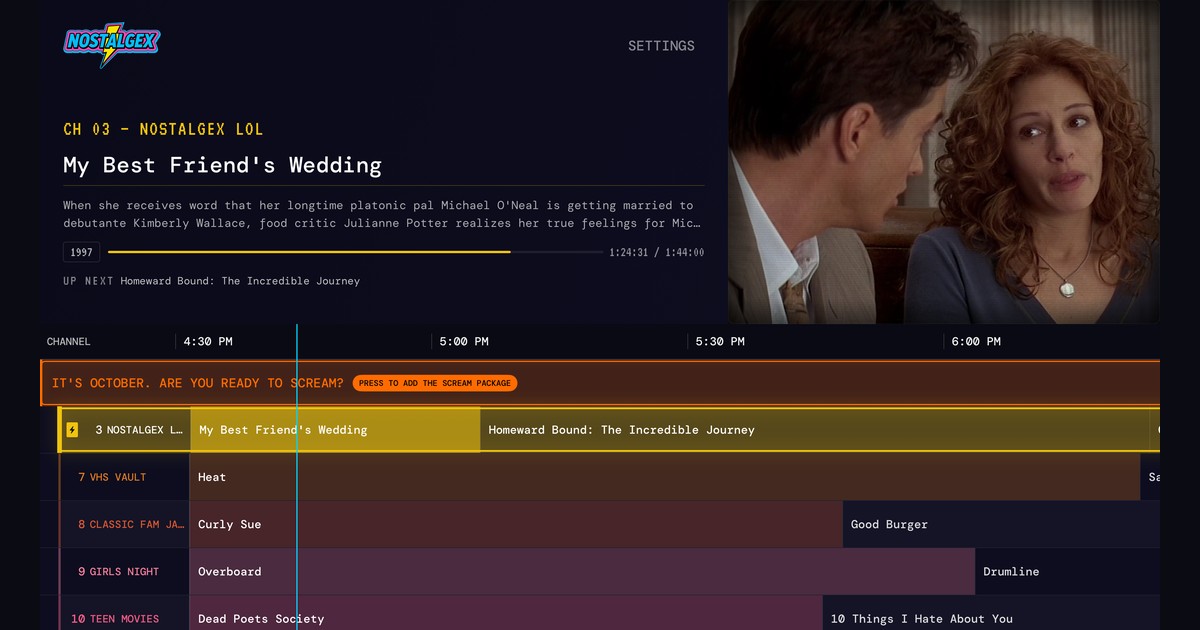
No. Plex Live TV plays Plex's free streaming channels and antenna TV, not the movies on your server. To get Pluto style virtual channels from your own Plex library, you need a separate tool, either a server like Tunarr that poses as a tuner or an app. Nostalgex does it free on Apple TV and in a browser, building 130+ channels automatically with no Plex Pass.
I get some version of this question every week, usually from someone who just found the Live TV tab in Plex and got excited for about thirty seconds. You've got a server with hundreds of movies on it. Plex has a Live TV section with a guide. Surely you can put your movies in the guide?
You can't, at least not with Plex alone. I'll explain what Live TV actually is, then the ways to get the thing you were hoping for. I built Nostalgex, one of those ways, so factor that in.
Is Plex like Pluto TV?
Pretty close, actually. The Live TV section in Plex is mostly a free, ad supported streaming service. Plex licenses channels and runs them with commercials, which is the same model as Pluto TV or the Roku Channel. They keep adding more, too. Pocket Lint wrote up four more recently.
So if you searched "is Plex like Pluto TV," the answer is yes, for that part of Plex. It's a different thing from your personal media, and that's the part that trips people up.
Can you make virtual channels in Plex from your own movies?
Not with Plex Live TV on its own. Here are the three routes, side by side:
| Route | What you get | What it takes |
|---|---|---|
| Plex Live TV | Plex's free streaming channels and antenna TV | Nothing, but your own movies never show up |
| Tunarr or ErsatzTV added to Plex as a tuner | Your own channels inside Plex's guide | A separate server, schedules you build, and Plex's tuner setup |
| An app like Nostalgex | 130+ channels built from your library | Install the Apple TV app and sign in with a code |
The guide in Plex fills from two places: Plex's free streaming channels, and a tuner you connect to your server. A tuner usually means an HDHomeRun and an antenna for broadcast TV.
Per Plex's own support page, watching antenna TV live through a tuner is free, and recording it needs Plex Pass. Neither one puts The Goonies on channel 7 at 8 o'clock.
The workaround people have used for years is to fake a tuner. Tools like Tunarr or ErsatzTV build channels out of your library and pretend to be an HDHomeRun, and Plex happily adds them to the guide. It works, and threads like this one on r/PlexMedia are full of people who love it. You're also running another server, building your own schedules, and sorting out transcoding. I went deep on that route in a separate post about Tunarr and ErsatzTV.
How do I make a 24/7 channel from my Plex library?
Use an app that builds the channels itself instead of going through Plex Live TV at all. The app reads your library, makes a schedule, and asks your Plex server for each file when it's time to play. Nothing to install on the server, no fake tuner.
That's the gap I built Nostalgex for. If what you're after is the feeling of flipping past a sitcom rerun and landing on a movie you haven't seen in years, this is the easy way to get it. You install it on your Apple TV, sign in with a code at plex.tv/link, and it builds 130+ channels in 14 bundles from what you own. You don't choose what goes on each channel. It sorts things by genre, decade, studio and franchise on its own, so you get stuff like SAT MORNING CARTOONS, 90S SITCOMS, VHS VAULT and BUDDIES (home of our Friday buddy cop lineup). Every channel keeps running even when nobody's watching, so you land in the middle of something like real TV.
It's basically Pluto, except the channels are made of your movies and there are no commercials. It's free, open source under MIT, and needs no account. It needs tvOS 18 or later. The Nostalgex for Plex page has the one minute setup.
Want to compare Coax and Bunny Ears TV too? See the best channel surfing apps for Apple TV.
I'm not going to repeat the full Plex setup here, because I already wrote it up in how to make Plex feel like cable TV. That post covers why a guide beats a poster wall and walks through every step.
Do I need Plex Pass for channels made from my own library?
Not with Nostalgex. It doesn't use Plex Live TV or Plex DVR, so none of the Plex Pass features come into it. It needs nothing paid at all: no Plex Pass, no subscription, nothing.
One honest footnote, since it's Plex's rule and not mine. Streaming your own media from outside your home network needs a Remote Watch Pass or Plex Pass, according to Plex's free vs paid page. On your own network, which is where an Apple TV usually lives, there's nothing to pay.
If you go the fake tuner route with Tunarr or ErsatzTV, watching those channels in Plex works through Plex's Live TV and DVR setup, so check Plex's current requirements for that path before you commit.
Can I watch my Plex channels in a web browser?
Yes. The free web tuner runs the same idea in a browser, and it's the quickest way to see if you like it. Browsers need the server on https, and Plex handles that for you by giving servers secure addresses, so most Plex setups just work. Connect, and your channels are already on.
The web tuner and the Apple TV app don't show identical lineups, by the way. The Apple TV app has a few extra scheduling tricks, like putting new additions in prime time.
What kinds of channels do you get?
The 130+ channels come in 14 bundles, and the ones you see depend on what's in your library. There are decades, genres, studios and franchises, plus the comfort stuff like SAT MORNING CARTOONS, 90S SITCOMS and VHS VAULT. You can switch whole bundles on and off in settings, but you never have to program a channel.
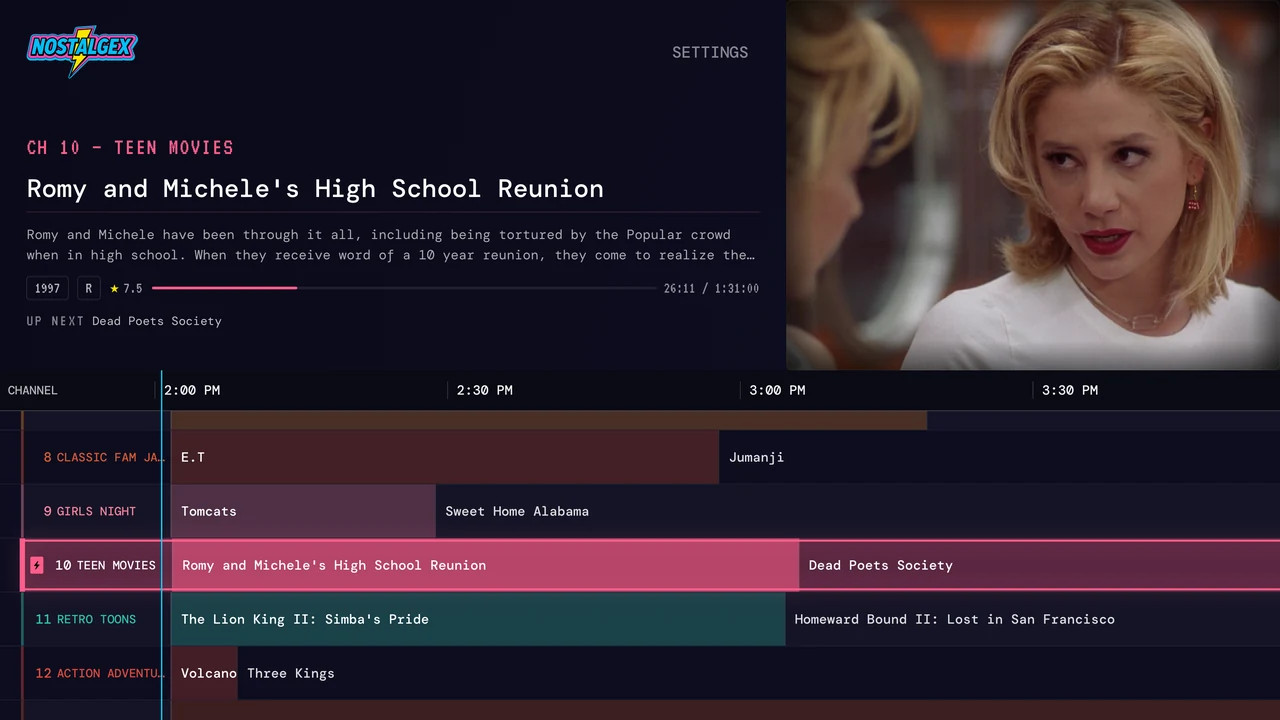
This month there's a free SCREAM bundle you can turn on with one button. It adds a set of horror channels, from SCREAM KIDS for the little ones to FRIGHT NIGHT and NOSTALGEX HORROR, and you can keep it on after October. NOSTALGEX HORROR sticks to 1975 through 1999. If you want a preview of what a night on those feels like, I wrote up a 90s slasher marathon.
Get Nostalgex free on the App Store or try the web tuner tonight.
FAQ
Is Plex like Pluto TV?
Plex's Live TV section is, since it's a free, ad supported set of streaming channels. Your own movies and shows are a separate part of Plex and don't appear in that guide.
Can I add my own movies to Plex Live TV?
Not directly. You'd need a tool like Tunarr or ErsatzTV that pretends to be a tuner. Or you can skip Plex Live TV and use an app like Nostalgex, which builds channels from your library on its own.
Do I need Plex Pass to use Nostalgex?
No. Nostalgex needs no paid service. It doesn't use Plex Live TV or DVR. A free Plex account works.
Is NostalgiaTV for Plex on Apple TV?
No. NostalgiaTV is a separate app for Plex, Jellyfin and Emby that runs on Android, Android TV and Amazon devices. If you're on Apple TV, Nostalgex does the same kind of thing for free.
Does Nostalgex work on Roku or Fire TV?
No. Nostalgex runs on Apple TV with tvOS 18 or later, and in a browser through the web tuner.